
CricketRight
How it works
From “who can play?” to a published team sheet — one loop for juniors, seniors, or both.
Last updated 6 October 2026
What CricketRight is
CricketRight is the matchday spine of your club: availability, selection, team sheets, training and messages — without digging through group chats and juggling spreadsheets.
Juniors get Fairness First. Seniors get Captain’s Pick. Coaches and captains always decide what publishes.
1. Set the club up once
Add senior and junior teams, age groups and eligibility — including who can play up or down — then choose how each team selects.
Drop fixtures in one by one, or import a season CSV when you have it.
Assign coaches and captains, then invite parents and players with registration links, QR codes or shareable posters. They create their own accounts and connect to the club — no admin typing in every person by hand.
One person can wear multiple hats on a single login.
2. Availability opens — then locks
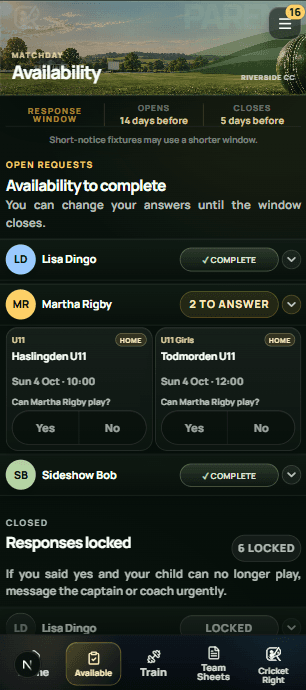
Match windows open on your club’s timings. Parents reply for juniors; seniors reply for themselves. Yes or No, all in one place — not buried in a group chat.
When the window locks, selection starts from a confirmed pool. Late replies don’t rewrite the list mid-pick.
3. Juniors — Fairness First
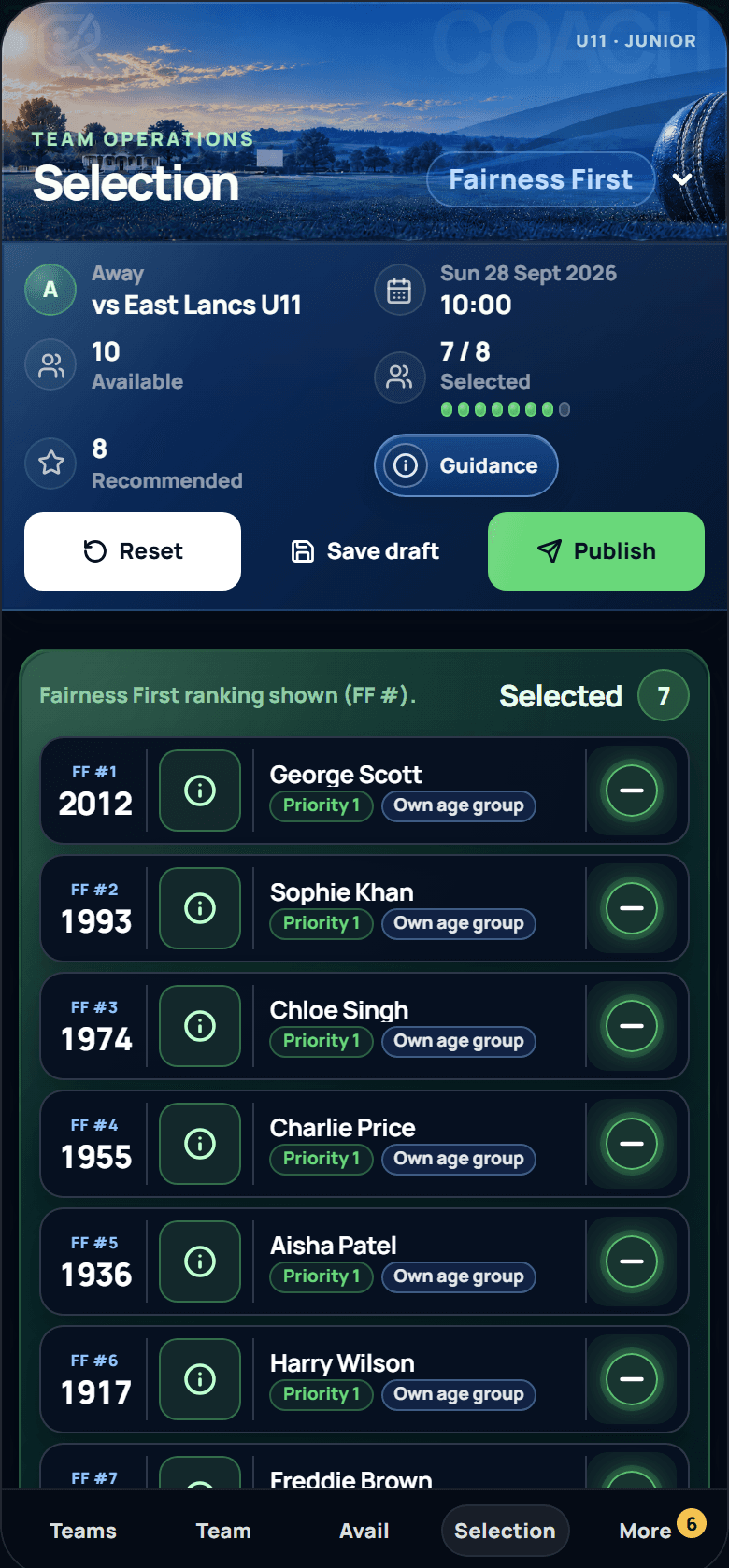
Fairness First recommends a fair side from availability and season playing opportunities — so coaches aren’t reconstructing “who was due a game” from memory.
Publish the recommendation, tweak it, or Free Pick. Parents can see how opportunities are balancing across the season. Nothing goes out until the coach publishes.
4. Seniors — Captain's Pick
Captains pick from who’s confirmed. When several senior sides play the same day, selection follows your club order — higher teams pick first, the rest wait their turn.
Captain’s Pick keeps senior selection fast, ordered and in the captain’s hands.
5. Team sheet published
Selected players and parents get the team sheet by email and in-app — no forwarding chains, no “did you see the message?”.
Change the side later and CricketRight sends the update automatically.
6. Training and messages
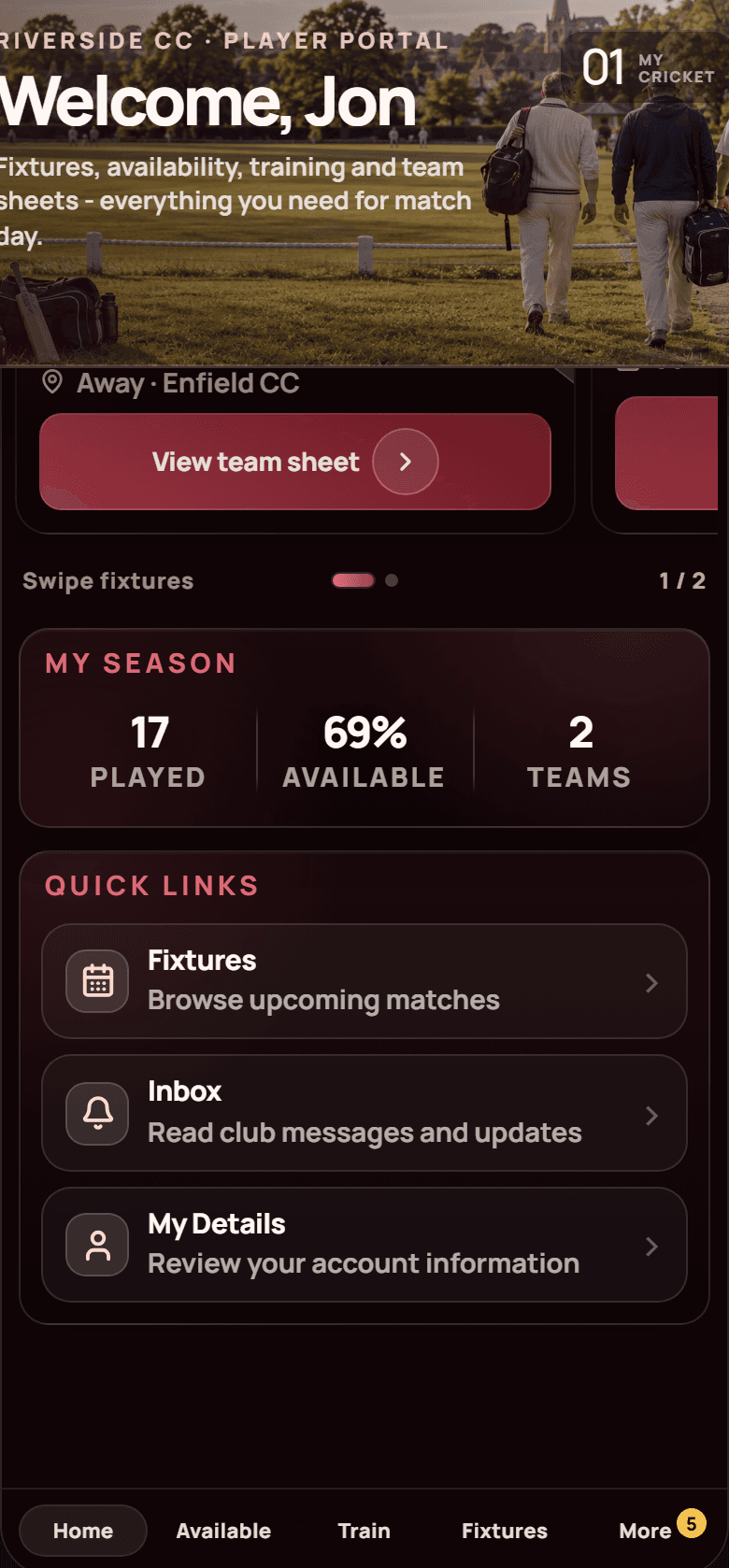
Training availability sits next to match availability. Admins and coaches can message teams, age groups or every team — parents for juniors, players for seniors.
7. After the match
Confirm who actually played. For juniors on Fairness First, appearances feed CricketRight Ratings so next week’s recommendation already knows who is due a game.
Your club stays in control
CricketRight provides the rails — availability windows, eligibility, junior selection style and senior pick order. Your club sets the rules.
Get started
See the matchday flow in your own club before you commit.